

The family password is a pet's name followed by a number. The number goes up by one every time a website insists on a change. We are on nine. I have watched that system function for years, which is not the same as it being safe, and the gap between those two things is the entire reason I am writing this down.
I am not going to tell you which password manager to buy. That argument has eaten more household evenings than it has ever saved, and the honest answer is that any of the serious ones, set up carefully, beats the finest one set up badly. The setup is the product. So here is the setup.
What you are actually building
A password manager is not an app you install. It is an agreement four or five people keep, with an app holding the paperwork. The thing you are building has to do three jobs at once: everybody can reach what they genuinely need, nobody can see what is not theirs, and if one person becomes unreachable the rest of the household is not locked out of its own life.
Every decision below serves one of those three. If a choice does not serve one of them, it is a preference, and you can settle preferences later, ideally not at the table.
Four decisions, before anybody installs anything
-
Who administers it, and who is the second one.
A family plan has an owner. One person will do the setting up, and that is fine, but a household with exactly one administrator is one lost phone away from a very bad Saturday. Decide now who the second capable adult is. Not the most technical one. The most reachable one.
-
How many vaults, and what each is for.
The minimum that works is one shared household vault, one private vault per person, and one vault for the children's accounts that an adult owns. Write that structure down before you create a single entry, because retrofitting a vault structure onto four hundred saved logins is a job nobody finishes.
-
What the master password is going to be.
Four unrelated words, chosen by the person who has to remember them, never reused anywhere else, and never a variation on the family password you are retiring. It is the only password anybody in the house memorises from now on, which is the whole trade you are making.
-
Where the recovery material will physically live.
Pick the drawer before the first login, not after the first panic. If you cannot name the exact place right now, you do not yet have a recovery plan — you have an intention, and intentions do not open accounts.
The vault map
What goes where, which is the part households get wrong
- The shared vault holds what the household truly shares: the wifi, the streaming services, the utility and council accounts, the grocery delivery, the takeaway place that still has last year's card on file. The test is whether two people needing it at once is normal.
- Personal vaults hold anything with a single owner — email, banking, work, medical, anything sitting behind one person's name. Putting those in the shared vault is not generosity. It is a mess with a friendly face.
- Children's accounts live in a vault an adult owns and the child can use. The child gets the account. The adult keeps the keys, until the day the whole vault gets handed over, which is the point of doing it this way.
- Nothing goes into the shared vault temporarily. Temporarily is precisely how a shared vault turns into a second personal vault that nobody quite trusts and nobody quite tidies.
- The recovery information for the manager itself does not live inside the manager. Sit with that one for a moment. People lock the only key inside the box more often than you would believe.
The recovery story, which is the whole point
Before you install anything, ask the question out loud, in front of everyone: the person who set this up is unreachable for two weeks. Does anybody else get in?
If the answer is no, you have not built a family system. You have built one person's password manager and given everyone else a seat next to it. Three layers fix this, and a household that intends to keep the thing running uses all three.
Nominated recovery inside the app. The serious managers offer emergency access or a recovery contact: a second person who can request entry, with a waiting period during which the first person can refuse. Set it up on day one, name the reachable adult from decision one, and tell them it exists. A recovery contact who does not know they are one is decoration.
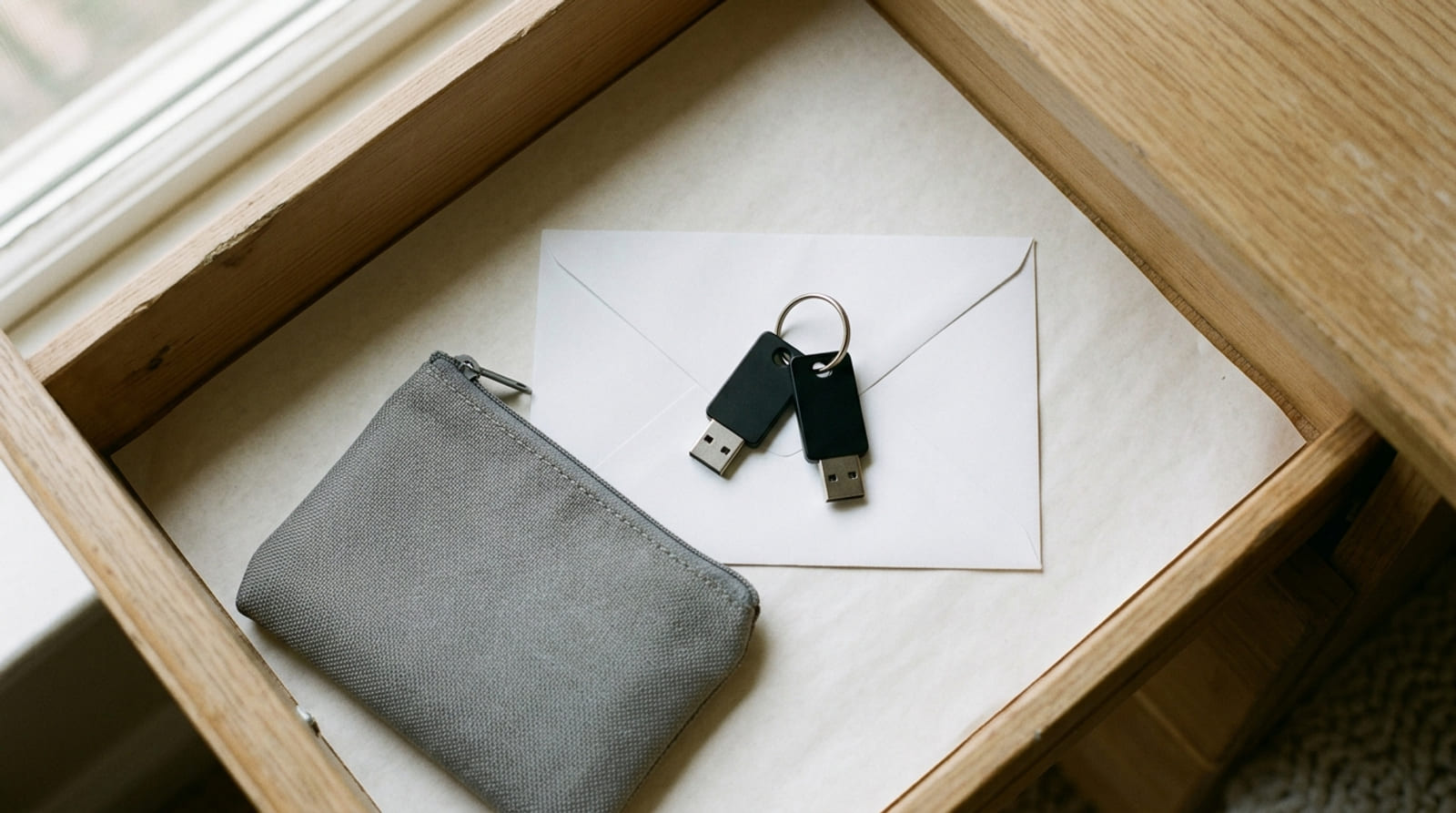
Paper, sealed, somewhere boring. The master password and the manager's recovery code, written by hand, sealed in an envelope, stored somewhere fireproof and genuinely reachable. Not a safety deposit box two towns away. A locked drawer or a small document pouch in the house beats perfect security you cannot get to on a Tuesday.
A physical key, and specifically two of them. A hardware security key is a small thing that plugs in or taps, and it is the one second factor that cannot be phished, copied remotely or intercepted in a text message. It is also where most households quietly ruin their own setup, by buying one.
Buy two, register both on the same account on the same evening, and write nothing on either of them. Match the connector to the devices you actually own — USB-C, USB-A, or NFC if phones are doing the tapping — and check for FIDO2 support, which is the standard the serious managers build against. One key lives on a keyring. The other lives in the drawer with the sealed envelope. A single key is not a backup plan; it is a lockout waiting for a bad week. Compare hardware security keys
Some links on this page are affiliate links. If you buy through them, HowTo: Tech Edition earns a commission at no extra cost to you. It does not change the rule above, which is that the second key is the one doing the work.
Onboarding, one person at a time
Do not call a family meeting. A family meeting about passwords produces a family opinion about passwords, and you do not want one of those. Bring people on individually, on the day each of them is already annoyed by a login.
The four people who live in every house
- The reluctant adult. Wants a working phone, not a project. Import whatever the browser already saved, show them autofill working exactly once, and stop talking. Do not mention the other ninety accounts for a month. They will find them.
- The teenager. Will be faster at this than you and will use it properly, provided you do not make it a supervision tool. Give them a private vault immediately and never ask to look inside. Access you do not need is access you will eventually misuse, and they know that before you do.
- The child. Gets accounts, not keys. Their logins sit in the adult-owned vault, they use the autofill and nothing else, and the master password conversation waits until the day the vault gets handed across properly.
- The grandparent. One device, one browser, biometric unlock switched on, and the master password written on paper kept wherever they already keep important paper. Refusing them the paper because paper is insecure is exactly how a household ends up back on the pet's name and a nine.
The first fortnight, and what goes wrong in it
- Change the important accounts first, not all of them. Email before anything else, every time. Whoever controls the email controls every account that resets through it, which is most of them.
- Turn off the browser's own password saving once the import is finished, on every browser on every machine. Two half-populated stores is worse than the one bad system you started with, because now nobody knows which one is lying.
- Expect one argument about something in the shared vault that a person considers private. Move it into their vault without discussion. Do not litigate the principle. You will lose, and you should.
- Somebody will lock themselves out in week one. This is good. That is your recovery drill running for free, with low stakes, while everybody still remembers what you set up.
The ten minutes a year
Once a year, on a date the household already remembers, do four things. Confirm the emergency contact is still the right person and still lives where you think. Read what is in the shared vault and take out anything that stopped being shared. Remove people who have left. And use the spare key — actually log in with it, the one from the drawer, not the one on the keyring.
That last one matters more than the other three together. A backup you have never tested is not a backup. It is a rumour you keep in a drawer.
Tested on this house: four people, two of whom did not want this, one shared vault, four private ones, and a sealed envelope in the drawer beneath the good scissors. The spare key gets used once a year on a birthday, because that is the one date nobody here forgets.